QNAP TS-432XeU Launches at $679: 10GbE and 590 MB/s Dual-2.5GbE in 11.5-Inch NAS

September 25, 2026:

QNAP TS-432XeU Launches at $679: 10GbE and 590 MB/s Dual-2.5GbE in 11.5-Inch NAS

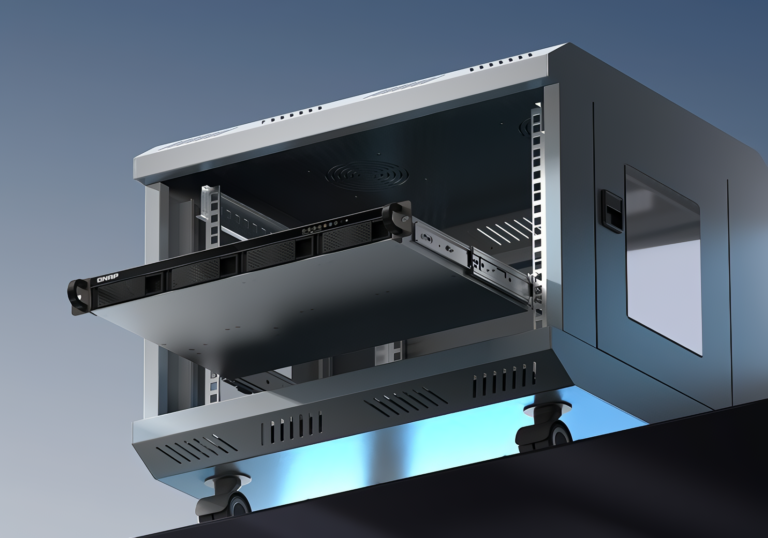
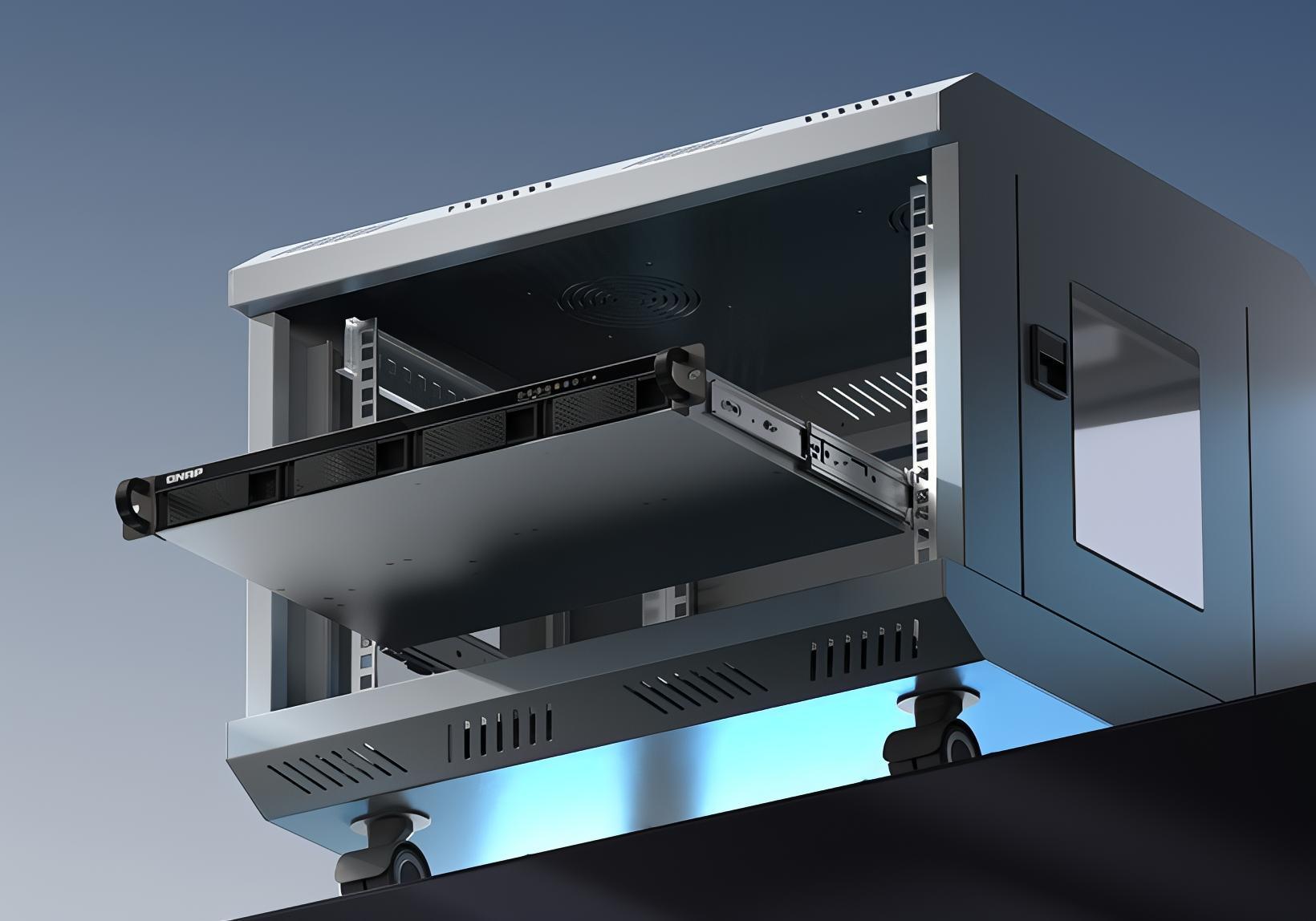
QNAP has introduced the TS-432XeU, a four-bay 1U rackmount NAS that combines 10 Gigabit Ethernet and dual 2.5GbE with SMB Multichannel ports in a chassis measuring just 292mm (11.5 inches) deep — roughly the length of a standard sheet of paper. The unit is now available at US retail price of $679, shipping without drives.

For IT administrators who manage networks in wall-mount cabinets, broadcast trucks, factory floors, or school server closets — environments where a conventional 600mm-deep rack server simply won’t mount — the TS-432XeU provides a specific answer to a specific problem: how do you run 10GbE storage in a space-constrained enclosure without sacrificing the secondary network ports that handle everyday client access? The short answer is dual 2.5GbE with SMB Multichannel, and QNAP’s own lab figures put that combination at 590 MB/s sequential reads to a single directly connected client.

What Short-Depth Actually Means for Deployment

Most rackmount NAS units assume a rack depth of 400mm (15.75 in) to 800mm (31.5 in). A wall-mount network cabinet — the kind found in retail back offices, manufacturing facilities, and school IT rooms — typically maxes out at around 300mm (11.8 in) of usable internal depth. The TS-432XeU’s 292.12mm (11.50 in) body fits within that constraint; a full-depth 1U NAS does not.

The unit’s full dimensions are 43.3mm × 430mm × 292.12mm, or 1.7 in × 16.9 in × 11.5 in. Net weight is 4.91 kg (10.8 lbs), light enough for a single person to wall-mount. Three 40mm fans at 12VDC handle cooling, drawing from a 100W power supply rated at 100–240V AC, making the unit compatible with global electrical standards. Operating temperature rated at 0–40°C (32–104°F).

QNAP has positioned the TS-432XeU for wall-mounted network cabinets, factory floors, security monitoring rooms, AV production suites, and vehicle-based deployments — anywhere that cable-heavy shallow enclosures are the norm. The TS-432XeU’s four hot-swappable SATA bays accept 3.5-inch HDDs or 2.5-inch SSDs with SATA 6 Gbps / 3 Gbps interfaces, and the unit supports SSD cache acceleration for mixed-access workloads.

How the Networking Stacks Up Against the Prior Generation

QNAP’s previous short-depth 4-bay 1U NAS in this product line, the QNAP TS-431XeU also fit in a 291mm (11.46 in) chassis and also included a 10GbE SFP+ port. However, its secondary network interfaces were two standard 1 Gigabit Ethernet (1GbE) RJ45 ports, and its processor was the Annapurna Labs Alpine AL314 — a 32-bit ARM Cortex-A15 chip limited to DDR3 memory.

The TS-432XeU replaces both of those predecessor with 1GbE ports with dual 2.5GbE RJ45 interfaces and upgrades the processor to the 64-bit ARM Cortex-A57-based Alpine AL324, which supports DDR4 memory and modern 64-bit container images. That secondary-port upgrade is worth pausing on: two 2.5GbE ports with SMB Multichannel enabled — a feature available on QTS 5.1.0 and later — give a single client with a matching dual-port 2.5GbE NIC up to 5 Gbps of aggregate bandwidth without a 10GbE switch in the picture.

SMB Multichannel works at the protocol layer (SMB3) rather than the link layer, meaning both NICs carry data for the same session. QNAP lab results put that configuration at 591 MB/s write and 590 MB/s read under sequential 1MB block transfers — within 6 percent of the 625 MB/s theoretical ceiling for two 2.5 Gbps links. For direct workstation-to-NAS connections without an intermediate switch, that is near-line-rate performance.

The 10GbE SFP+ port is the high-bandwidth uplink. QNAP benchmark environment recorded 859 MB/s sequential write and 1,181 MB/s sequential read over the single 10GbE link. Both figures were tested using RAID 5 across four Samsung 850 Pro 512GB SATA SSDs with a Windows Server 2019 client running an AMD EPYC 7232P at 3.09GHz. Spinning-disk configurations will deliver substantially lower throughput.

What the SFP+ Port Requires

The 10GbE port on the TS-432XeU is SFP+, not the RJ45 10GBASE-T jack found on some competing NAS units. SFP+ does not accept a standard Cat5e or Cat6 Ethernet patch cable. To use the port, buyers need either a Direct Attach Copper (DAC) cable — a short, fixed-length cable with SFP+ connectors on both ends, typically rated for 1–5 meters (3.3–16.4 ft) — or a compatible fiber optic transceiver module paired with fiber cabling.

DAC cables are inexpensive (typically $15–40 USD for short lengths), but the connection is physically direct and cannot reach far across a room. For environments that connect the TS-432XeU to a nearby 10GbE switch, this is the standard solution. For longer runs, an SFP+ SR fiber module supports multimode fiber up to 300 meters (984 ft). Anyone budgeting for the TS-432XeU should include a compatible transceiver or DAC cable in their procurement plan.

Port trunking for the 2.5GbE interfaces requires a managed switch and aggregates bandwidth across multiple clients simultaneously — different from SMB Multichannel, which benefits a single direct-connected client. The unit supports concurrent CIFS connections up to 1,500 simultaneously, reasonable headroom for SMB file-serving in medium-sized deployments.

Processor, Memory, and Container Constraints

The AL324’s quad-core ARM Cortex-A57 cores run at 1.7GHz with a hardware AES-256 encryption engine, meaning volume and folder encryption offloads to dedicated circuitry rather than consuming CPU resources. The 4GB of DDR4 RAM base configuration is expandable to 16GB through the single SODIMM slot — note that maxing out memory requires replacing the installed module rather than adding to it.

The Annapurna Labs Alpine product line was introduced in 2016 and phased out in 2018 as the company (acquired by Amazon) shifted engineering resources to the Graviton server processors now found in AWS EC2 instances. The AL324 is therefore mature, well-supported silicon within QNAP’s QTS ecosystem, but represents architecture that is now approximately eight years old. It performs well on the file-serving, backup, and surveillance workloads the TS-432XeU is designed for, but compute-intensive container workloads will hit a ceiling sooner than on newer x86-based NAS units.

Container Station runs Docker containers on the TS-432XeU, but image compatibility is a real constraint: the unit’s 64-bit ARM (arm64/aarch64) architecture is not compatible with x86 container images. Most current Docker Hub software images offer arm64 builds, but some legacy or specialized enterprise applications do not. Buyers planning significant containerized workloads should verify that their target images support arm64 before purchasing.

The TS-432XeU also runs only QTS — QNAP’s ext4-based operating system. QuTS hero not available for this model — QNAP’s ZFS-based OS with its inline data integrity checking and self-healing capabilities is reserved for Intel- and AMD-powered appliances. Buyers whose data protection requirements call for ZFS should look at QNAP’s QuTS hero-capable short-depth units such as the TS-h765eU.

How Does the QNAP TS-432XeU Compare to QNAP’s Other Short-Depth Models?

The TS-432XeU sits at the entry tier of QNAP’s short-depth rackmount line. Its peer, the peer TS-435XeU runs a Marvell OCTEON TX2 CN9131 ARM processor at 2.2GHz and includes two 10GbE SFP+ ports, two M.2 PCIe Gen 3 NVMe SSD slots for fast-flash caching, and supports up to 32GB of DDR4. The TS-432XeU trades all of that — the second 10GbE port, the NVMe slots, the more capable ARM core — for a lower price. Buyers who primarily need 10GbE uplink performance and can live with SATA-only storage tiering will find the tradeoff reasonable. Buyers with high-IOPS workloads or planned SSD caching that demands NVMe speeds should step up.

Software, Backup, and Surveillance

QNAP’s QTS ecosystem is broad. The TS-432XeU supports rsync, FTP, and CIFS/SMB-based file-server backup; scheduled snapshots; Apple Time Machine; Microsoft 365 and Google Workspace backups via QNAP’s HDP for SaaS tool; and cloud gateway functionality. Cross-device file synchronization through Qsync adds version control and custom sync rules and shared team folders.

For surveillance deployments, the unit integrates with over 8,000 ONVIF-compatible cameras from more than 200 brands, provides centralized video management and AI-based server-side analysis, and can back recordings up to QVR Recording Vault or myQNAPcloud Surveillance for off-site retention.

Security features include Windows AD, Azure AD, and LDAP integration; two-factor authentication and passwordless login; QuFirewall for IP- and region-based access control; SMB signing acceleration; QVPN Service; QuWAN for multi-site mesh VPN; and QNAP’s Malware Remover application protects against known threats.

What Buyers Should Know About QNAP’s Security Track Record

QNAP NAS devices broadly have a well-documented history as targets for ransomware campaigns. The Qlocker operation in April 2021 exploited a backdoor in QNAP’s Hybrid Backup Sync software (CVE-2021-28799), affecting thousands of devices and generating approximately $350,000 in ransom payments. The eCh0raix ransomware family has targeted QNAP devices via both known vulnerabilities and brute-force attacks since July 2019. In June 2026, QNAP issued QNAP June 2026 advisory QSA-26-10 addressing 14 vulnerabilities in QTS 5.2.7, QuTS hero h5.2.8, QuTS cloud c5.2.8, and QVR — including remote code execution and privilege escalation vulnerabilities.

None of these vulnerabilities are specific to the TS-432XeU, which is a new device. The risk is platform-level — any QNAP NAS exposed to the internet is a potential target if not kept current with firmware and application updates. Standard hardening for any QNAP NAS deployment includes disabling SSH and Telnet when not in use, not exposing management interfaces to the public internet, changing default management ports, enabling two-factor authentication, and keeping QTS and all bundled applications on current release versions. QNAP’s QNAP security hardening guide covers these steps in detail.

Warranty and Pricing

The QNAP TS-432XeU-4G is now available at a U.S. retail price of $679, shipped without drives. QNAP includes a standard three-year warranty, with extensions available through the QNAP warranty extension service for up to five years of coverage.


Frequently Asked Questions

What is the difference between the QNAP TS-432XeU and the TS-431XeU?

The TS-432XeU upgrades the predecessor in three substantive ways: the secondary Ethernet ports jump from two 1GbE to two 2.5GbE, enabling SMB Multichannel throughput of about 590 MB/s to a single direct-connected client; the processor moves from the 32-bit ARM Cortex-A15-based AL314 to the 64-bit ARM Cortex-A57-based AL324, unlocking support for more than 4GB of RAM and 64-bit container images; and the base RAM configuration doubles to 4GB DDR4. The chassis dimensions and the 10GbE SFP+ port are essentially unchanged. Details on the predecessor are on the QNAP TS-431XeU product page, and full specs for the new model appear on the QNAP TS-432XeU specs page.

Does the QNAP TS-432XeU 10GbE port work with a standard Ethernet patch cable?

No. The 10GbE port uses an SFP+ cage, not an RJ45 jack, so a standard Cat5e or Cat6 patch cable will not physically connect. Buyers need either a Direct Attach Copper (DAC) cable — an integrated cable with SFP+ plugs on both ends, available for under $40 USD for short runs — or a fiber optic SFP+ transceiver module paired with fiber cabling for longer distances. This is a standard setup consideration for any SFP+ port and is not specific to QNAP; the same applies to the SFP+ ports on most NAS units and managed switches.

Can the QNAP TS-432XeU run Docker containers?

Yes, via Container Station, which provides a Docker-compatible container environment. The important caveat is that the TS-432XeU uses a 64-bit ARM processor (arm64/aarch64), not x86. Container images must specifically support the arm64 architecture to run on this device. Most widely used Docker Hub images — including common databases, web servers, and productivity tools — now offer arm64 builds, but some enterprise or legacy software does not. Check arm64 image availability for any specific application before deploying. Full documentation is available on the QNAP Container Station documentation page.

Is it safe to use a QNAP NAS connected to the internet?

It depends on how the device is configured. QNAP NAS devices have been a repeated target for ransomware campaigns including Qlocker (2021) and eCh0raix, which exploited unpatched software vulnerabilities and weak passwords on internet-exposed units. The safest approach is to keep the NAS behind a firewall and off a direct internet connection, use QNAP’s myQNAPcloud for remote access rather than opening ports directly, keep QTS and all applications updated, disable SSH and Telnet when not needed, and enable two-factor authentication. Any internet-exposed NAS — from any vendor — carries elevated risk without these precautions in place. The HKCERT advisory confirmed vulnerabilities in QTS 5.2.7 and related platforms as recently as June 2026, and the QNAP security hardening guide covers the recommended configuration steps.

Source link