Logitech R400 Wireless Presenter Drops to $29.99: USB-C Users Need Workaround

October 23, 2026:

Logitech R400 Wireless Presenter Drops to $29.99: USB-C Users Need Workaround
Logitech Wireless Presenter R400
Amazon.com

Amazon is currently listing the Logitech Wireless Presenter R400 at $29.99 — 25% below its $39.99 regular price at Staples and Best Buy — making it the lowest widely available price for one of the best-selling presentation remotes in the business. Before you add it to your cart, though, there are two things every buyer should know: the R400 is Windows-only (officially), and its USB-A nano receiver means any laptop with only USB-C ports — virtually every MacBook Air, MacBook Pro, or modern Windows ultrabook sold in the last several years — requires a separate adapter that will cost an additional $14.99.

What the Logitech R400 Does Well

The R400 has been on the market for years, and its staying power is earned. It does the things that matter for classroom and conference-room presentations, and it does them without requiring setup beyond plugging in a small receiver.

The wireless link uses 2.4 GHz RF technology, sending encoded button commands from the remote to a USB nano receiver that registers as a standard keyboard to the operating system. That HID (Human Interface Device) designation is why no driver installation is needed: the operating system treats it as a keyboard sending Page Down, Page Up, the period key (blank screen), F5 (start slideshow), and Esc (end slideshow). Plug in the receiver, open PowerPoint, and the remote works immediately — no software download, no Bluetooth pairing.

The effective wireless range is 50 feet (15 meters), more than enough for most classrooms and mid-size conference rooms. Larger auditoriums may push that limit, but for the environments most buyers use it in, the range is sufficient. The built-in Class 2 red laser pointer (under 1 mW output) is considered safe for presentation use under standard laser safety guidelines from UC Berkeley and Harvard’s environmental health offices, because the eye’s natural aversion reflex — closing or blinking within about a quarter second — prevents damage from accidental exposure. Never aim the laser at any person or animal.

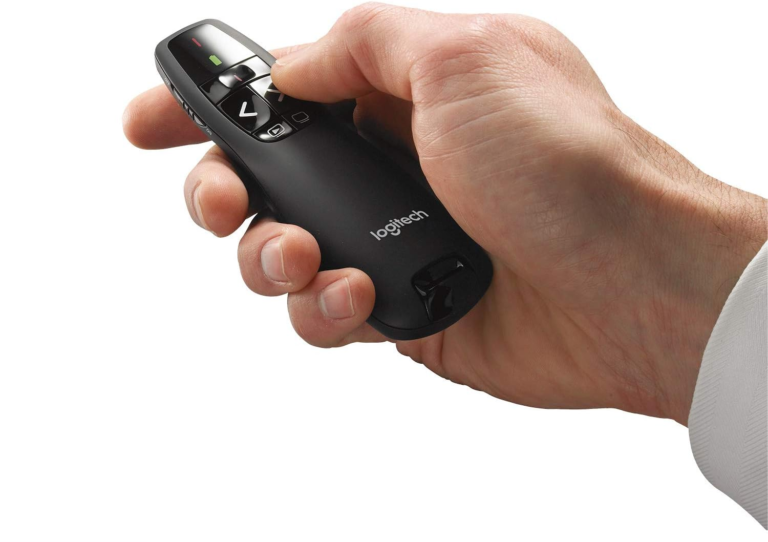
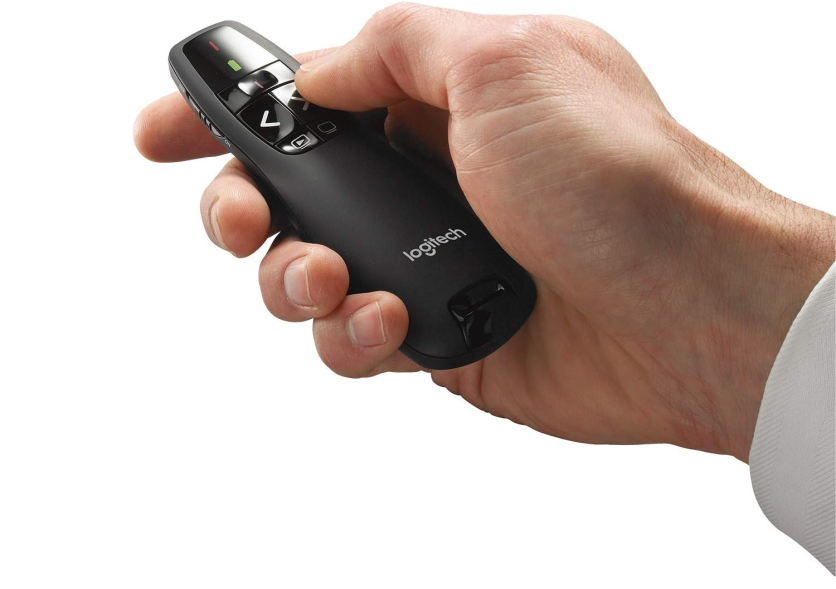
Five buttons sit in positions reachable by touch, so presenters can advance or reverse slides without looking away from the audience. The remote includes a blank-screen toggle to black out the display when you want to focus attention on yourself rather than a slide, and a battery-level LED so you are not surprised mid-presentation. It ships with two AAA batteries, a storage case, and a USB nano receiver that stows inside the remote body for travel.

Battery life per Logitech’s specifications: approximately 1,050 hours for navigation functions and 20 hours for the laser pointer. In practice, most presenters run the laser only briefly; heavy weekly presenters typically go months between battery changes.

The R400 carries a 3-year limited hardware warranty — notably generous for an accessory in this price tier.

Does the R400 Work With Your Laptop? The USB-A Question

This is the detail that gets left out of most deal write-ups, and it matters.

The R400’s nano receiver uses a USB-A connector — the rectangular port that dominated laptops throughout the 2000s and 2010s. Logitech’s official compatibility list covers Windows Vista through Windows 11. It does not include macOS.

If you are using a Windows desktop or a laptop with USB-A ports, you can plug in and go. If your laptop has only USB-C ports — which describes every MacBook Air from 2018 onward, most MacBook Pro models from 2019 onward, and an increasing number of Windows ultrabooks — you will need a USB-C to USB-A adapter. Logitech sells its own (part number 956-000028) for $14.99 at its official USB-C to USB-A adapter page. That adapter works with the R400’s nano receiver, though it raises your effective cost to $44.98 — slightly above the $39.99 regular price for the R400 alone.

Many macOS users report the R400 works in practice despite the missing official listing, because the HID standard is cross-platform. But Logitech does not guarantee it, and you are buying outside official support.

The bottom line for USB-C users: if you own a USB-C-only laptop, your total cost to use the R400 is ~$45, not $30, and you are still without official macOS support.

Is the R500s Worth Two Dollars More?

At current pricing, the Logitech R500s is available for approximately $31.99 on Walmart. That $2 difference buys a meaningful set of upgrades:

  • Bluetooth connectivity: the R500s pairs via Bluetooth Low Energy in addition to its USB-A receiver, meaning it works with tablets, smartphones, and laptops without consuming a USB port
  • Official macOS support: the R500s lists Windows and macOS as supported operating systems
  • 65-foot (20-meter) range: 30% more range than the R400’s 50 feet (15 meters)
  • Class 1 laser (slightly lower maximum output, similar visual brightness in use)
  • Logitech Presentation App integration: lets you customize button functions and set an on-screen countdown timer
  • Single AAA battery with approximately 12 months of runtime (versus two AAA batteries in the R400)

For anyone using a MacBook or a USB-C-only Windows laptop, the R500s at $31.99 delivers official cross-platform support and eliminates the adapter expense entirely. The R400 at $29.99 is the better buy only if you are a Windows-primary user with a USB-A port available and do not need the Presentation App features.

How the R400 Fits in Logitech’s Presenter Lineup

Device Price Range Laser Bluetooth macOS Official
Logitech R400 $29.99 50 ft (15 m) Red Class 2 No (2.4 GHz RF) No
Logitech R500s ~$31.99 65 ft (20 m) Red Class 1 Yes (RF + BT) Yes
Logitech R800 ~$49.99 100 ft (30 m) Green Class 1 No No
Logitech Spotlight $119.99 100 ft (30 m) None (digital) Yes Yes

The R800 adds a green laser (more visible in bright rooms than red) and an LCD countdown timer, and more than doubles the range — for roughly $20 more. It remains Windows-primary. The Spotlight replaces the physical laser with a software-based digital highlighting system and adds gesture control — technology aimed at large-screen presentations where a physical laser dot is hard to see — but at $119.99, it is a different category of product.

Ratings and Reputation

The R400 has accumulated strong third-party ratings across multiple retailers. At Staples, where it is listed at the $39.99 regular price, it carries a 4.59 out of 5 based on 678 customer ratings, with reviewers consistently citing its setup simplicity and reliable wireless connection. At Walmart, it averages 4.6 out of 5 across 39 ratings. Consumer feedback at multiple outlets highlights the plug-and-play reliability as the R400’s strongest practical quality.

Our Take

At $29.99, the R400 is a solid buy for the right buyer: a Windows user with a USB-A port who wants a no-fuss, no-software-install clicker for slide presentations. It does exactly what it promises — reliable 50-foot range, a functional red laser, and a button layout you can navigate by touch.

If you use a MacBook, a USB-C-only Windows laptop, or need cross-platform flexibility, spend the extra $2 and get the R500s. The gap between $29.99 and $31.99 is too small to justify the R400’s limitations for USB-C users.

Get the Logitech Wireless Presenter R400 for $29.99: Buy on Amazon now

Prices and availability are subject to change. TechTimes may earn a commission on purchases made through affiliate links.


Frequently Asked Questions

Does the Logitech R400 work with USB-C laptops?

Not without an adapter. The R400’s nano receiver uses a USB-A connector. Anyone with a USB-C-only laptop — including MacBook Air (2018+) and most modern Windows ultrabooks — needs a USB-C to USB-A adapter. Logitech sells one for $14.99 at its official adapter product page, raising the effective cost to approximately $45 — above the R400’s $39.99 regular price. In that case, the R500s at $31.99 is a better option, since it supports Bluetooth and works without occupying a USB port.

Is the Logitech R400 compatible with Mac?

Officially, no. Logitech lists Windows Vista through Windows 11 as supported operating systems for the R400 and does not include macOS on its compatibility specifications. Some users report it functioning on macOS through the HID standard, but you would be outside Logitech’s guaranteed support. The R500s officially supports both Windows and macOS.

What is the difference between the Logitech R400 and the R500s?

The R500s (approximately $31.99) adds Bluetooth connectivity, official macOS support, a longer 65-foot (20-meter) range versus the R400’s 50 feet (15 meters), Logitech Presentation App compatibility for custom button mapping and an on-screen countdown timer, and extended 12-month battery life on a single AAA battery. For Windows users with a USB-A port who need nothing beyond basic slide navigation, the R400 at $29.99 is a functional value choice. For anyone else, the $2 difference makes the R500s the stronger purchase.

How long do the batteries last in the Logitech R400?

Per Logitech’s specifications, the two included AAA batteries power navigation functions for approximately 1,050 hours and the laser pointer for approximately 20 hours. In typical weekly use — a few hours of presentations per week — most users find battery changes are needed only a few times per year for navigation functions. Laser pointer use depletes batteries faster; presenters who use the laser frequently should monitor the battery-level LED.

Source link