HP Stream 14 Hits $299 Before Prime Big Deal Days: Windows 11 Blocks Chrome by Default

October 2, 2026:

HP Stream 14 Hits $299 Before Prime Big Deal Days: Windows 11 Blocks Chrome by Default
HP Stream 14" HD Student and Business Laptop
Amazon.com

With Amazon’s Prime Big Deal Days sale set to start October 6, early deals are already live — and the HP Stream 14″ HD Student and Business Laptop has dropped to $299, a 40% cut from its $499 list price, per a deal confirmed by Redmond Pie. For students and remote workers hunting a capable everyday machine under $300, this is a genuinely competitive bundle — but three things the listing does not headline can make or break the decision.

Why the Timing Matters: Prime Big Deal Days Starts October 6

Amazon has confirmed that Prime Big Deal Days 2026 runs October 6 and 7, with early deals open to Prime members right now. The HP Stream deal predates the event’s official start, which means it may disappear, deepen, or sell out as the main event approaches. Prices and availability on Amazon can shift without notice, so anyone interested should treat the current $299 as time-sensitive.

What the Specs Actually Deliver

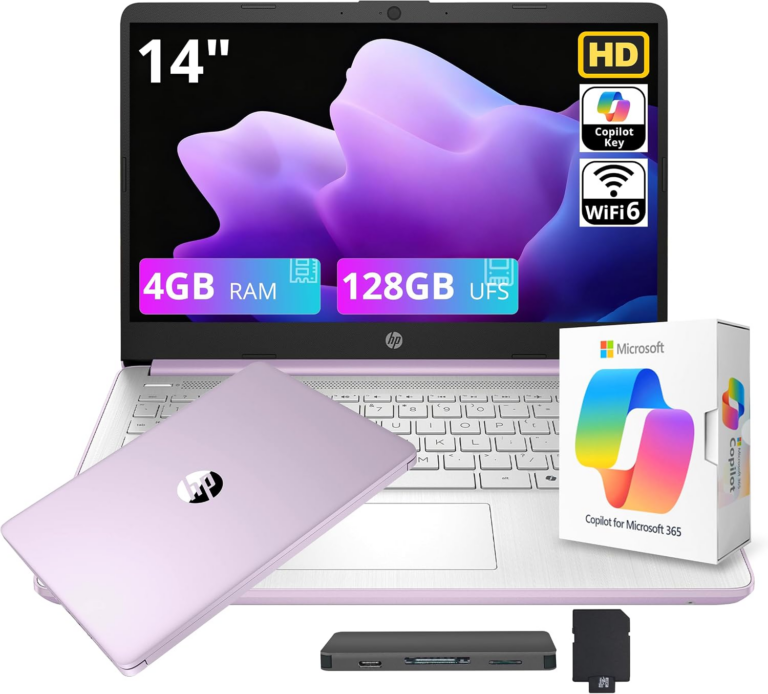
At a glance, the hardware included for $299 is genuinely unusual at this price: a 14-inch HD display (1366 x 768 resolution), the Intel Processor N150 running up to 3.6 GHz with a dedicated Copilot key, 4GB RAM, 128GB of UFS storage, Wi-Fi 6, and one year of Microsoft 365 with 1TB of OneDrive storage. The Lavender Purple colorway is the focus of this deal. The bundle details above were confirmed by Redmond Pie.

Intel N150: Efficient by Design, Not by Comparison

The N150 belongs to Intel’s Twin Lake family, announced in January 2025, and carries four Gracemont Efficiency cores running at up to 3.6 GHz with a thermal design power of just 6 watts per Notebookcheck. That 6W ceiling is the key number: it means the laptop runs fanlessly and silently, with all-day battery potential, but it also means the chip is Intel’s entry-level option in the Twin Lake lineup — not its midrange. According to Notebookcheck’s independent processor analysis, multi-thread performance sits roughly on par with older dual-core chips like the Core i3-10110U. For the tasks this laptop targets — browser tabs, Word documents, Zoom calls, video streaming — that ceiling is rarely visible. Start layering in multiple heavy apps, video editing, or compiling code, and it will show.

One distinction worth making: the N150 is not a Copilot+ PC. Microsoft’s Copilot+ certification requires a dedicated Neural Processing Unit (NPU) for on-device AI inference. The N150 carries no NPU. The Copilot key on this laptop opens Microsoft’s cloud-based AI assistant, meaning all processing happens on Microsoft’s servers, not on the machine itself. That is a meaningful distinction for anyone comparing this to higher-end Copilot+ certified laptops — but for basic Copilot tasks (drafting, summarizing, answering questions), cloud delivery works fine provided a Wi-Fi connection is present.

The economics of why $299 is achievable are worth understanding. The 6W TDP fanless design eliminates the cooling hardware that adds cost and weight to performance machines. UFS storage at 128GB is affordable at scale. Microsoft 365 is bundled at OEM pricing, not retail. Wi-Fi 6 chips have matured to commodity pricing. And Copilot, being cloud-delivered, adds zero local hardware cost for HP.

Storage: UFS Outperforms the Old Standard

The HP Stream ships with 128GB of UFS (Universal Flash Storage), a meaningful step above the eMMC (Embedded MultiMediaCard) storage found in older budget laptops. The architectural difference is real: UFS uses a full-duplex interface that supports simultaneous read and write operations, while eMMC’s half-duplex design cannot. That means UFS loads apps and files perceptibly faster under typical use — particularly noticeable during boot, app launch, and file transfer. One independent analysis found that the gap between eMMC and UFS is large enough that even the best eMMC drive falls considerably short of the worst UFS drive across common workloads.

The significant caveat: 128GB fills up faster than most users expect. Windows 11 itself, Office apps, and a semester’s worth of files can push a machine close to capacity. HP bundles 1TB of Microsoft OneDrive cloud storage through the M365 subscription — that cloud space is real and useful for documents and media, but it requires an internet connection to access and cannot substitute for local storage when working offline.

Wi-Fi 6: When It Helps and When It Doesn’t

Wi-Fi 6 (802.11ax) introduces OFDMA — Orthogonal Frequency Division Multiple Access — which subdivides a wireless channel into smaller Resource Units and delivers them to multiple devices simultaneously. In a university library with 200 devices competing for bandwidth, OFDMA’s effect is measurable: controlled tests have demonstrated latency reductions of up to 75% compared to equivalent Wi-Fi 5 deployments under high client load. Wi-Fi 6 also adds bidirectional MU-MIMO, allowing upload and download streams to run simultaneously rather than taking turns.

The catch: OFDMA requires Wi-Fi 6 hardware on both the laptop and the access point. If a campus network is still running Wi-Fi 5 infrastructure, the HP Stream’s Wi-Fi 6 client falls back gracefully but loses most of the dense-environment benefit. The connection still works — it just behaves like Wi-Fi 5. As campuses continue rolling out Wi-Fi 6 infrastructure, having a Wi-Fi 6 client is increasingly practical future-proofing at any price point.

What Windows 11 S Mode Is and Why Buyers Need to Know

This is the most important piece of information missing from the deal listing, and it is what most buyers discover only after setting up the machine.

The HP Stream 14″ ships with Windows 11 Home in S Mode, which restricts apps to Microsoft Store exclusively. That means, out of the box, the laptop cannot run Google Chrome, Mozilla Firefox, or any other non-Microsoft browser. It cannot install Google Drive’s desktop sync client. It cannot run Discord (the desktop version), VLC media player, GIMP, most IDE software, or virtually any third-party app outside Microsoft’s ecosystem.

According to Microsoft’s official S Mode documentation, S Mode also blocks third-party antivirus software and third-party hardware drivers. The only browser available in S Mode is Microsoft Edge.

Switching out of S Mode is free, straightforward, and takes under five minutes — and it is almost certainly the right choice for students who use any non-Microsoft software. The process involves visiting the Microsoft Store, searching for “Switch out of S Mode,” and following a one-click prompt. There is no fee and no catch. The one condition: switching out is permanent and irreversible. You cannot re-enable S Mode after switching. For the vast majority of users, this is not a meaningful limitation — but it means the decision to switch is a one-time, permanent choice.

Once out of S Mode, the laptop runs standard Windows 11 Home with full access to any compatible software. The switch does not affect performance, storage, or any other hardware specification.

Is 4GB RAM Enough?

This is the spec that receives the most Amazon review complaints, and the concern is legitimate. Windows 11 with a browser and a few apps open can keep 4GB RAM meaningfully occupied, leaving little headroom for additional workloads. Under light use — one or two browser tabs, a Word document, a video call — 4GB functions adequately. Under moderate multitasking — multiple browser tabs plus Office plus a streaming tab — the system will page to storage, and page performance depends on how fast the UFS storage is.

The HP Stream’s 4GB RAM is soldered to the motherboard and cannot be upgraded. For students who primarily work in a browser and Office, it is workable. For those expecting to run several apps simultaneously, it is the spec most likely to produce noticeable slowdowns.

Microsoft 365: Real Value, Accurate Accounting

The one-year Microsoft 365 Personal subscription bundled with this laptop carries a standalone MSRP of $99.99 per year, which includes Word, Excel, PowerPoint, Outlook, OneNote, and 1TB of OneDrive cloud storage. The 1TB of “cloud storage” listed in the deal specs is this OneDrive allocation — it is not a local drive expansion. Discounted M365 subscriptions exist (as low as $69.99 in promotional deals) but the retail anchor is $99.99.

Applied to the deal: if a buyer would otherwise pay $99.99 for M365, the effective cost of the laptop hardware and Wi-Fi 6 radio is roughly $199 — which is a legitimate value proposition for the specification level.

Is the $299 Price a Fair Deal?

CamelCamelCamel price tracking shows HP Stream N150 price history reaching $299 before on comparable bundles, so this is at or near the floor for this product family rather than an extraordinary new low. The 40% framing compares against a $499 list price that is itself elevated — a common practice in bundle listings on Amazon. The deal is real; the 40% number requires context.

Who Should Buy This

This laptop makes clear sense for students who work primarily in a browser and Office apps, need lightweight portability (the Stream weighs approximately 3.24 lbs), and will either stay in S Mode’s Microsoft ecosystem or immediately switch it off. It is also a strong secondary-device buy — a lightweight machine to accompany a more powerful desktop.

It is not the right machine for anyone who needs Google Chrome (though switching out of S Mode resolves this), more than light multitasking, local offline storage beyond 128GB, any creative software, or any programming environment beyond the Microsoft Store’s limited selection.

Is This a Strong Budget Laptop for Students in 2026?

Yes, with three conditions understood: Windows 11 ships in S Mode by default — switch out immediately if you use any non-Microsoft software. The N150 is a genuine efficiency chip with a real performance ceiling, not a general-purpose laptop chip. And 128GB fills up; plan cloud-first from day one, or use the OneDrive allocation actively.

Within those constraints, the HP Stream 14″ at $299 packs Wi-Fi 6, UFS storage, a functional Copilot key for cloud AI assistance, and a year of Office apps into a lightweight machine before Amazon’s biggest fall sale of the year. That is a well-assembled bundle, honestly priced, with a few things the listing does not say plainly.


Frequently Asked Questions

What is Windows 11 S Mode and does the HP Stream 14″ have it?

Yes. The HP Stream 14″ ships with Windows 11 Home in S Mode, which restricts app installation to the Microsoft Store only. That means Google Chrome, Firefox, and most third-party applications are unavailable by default. Switching out of S Mode is free, takes under five minutes via the Microsoft Store, and unlocks full Windows 11 Home access — but the switch is permanent and cannot be reversed. Most students and remote workers should switch out immediately after setup. Microsoft’s official S Mode FAQ covers the full process.

Is the Intel N150 processor in this laptop powerful enough for college coursework?

For core academic tasks — writing papers in Word, joining Zoom lectures, researching in a browser, working in Excel or PowerPoint, and streaming video — the N150’s four Gracemont efficiency cores at 3.6 GHz handle the load adequately. Performance becomes a constraint when multiple demanding apps run simultaneously, or when the 4GB of soldered RAM reaches capacity under multitasking. According to Notebookcheck’s analysis, N150 multi-thread performance aligns with older dual-core chips, not a modern midrange processor. Students in STEM programs or design coursework requiring more compute should look at machines in the $500+ range.

What does the “1TB Cloud Storage” included with this laptop actually mean?

The 1TB figure refers to Microsoft OneDrive cloud storage, which comes bundled with the one-year Microsoft 365 Personal subscription. It is accessed over the internet and is not a physical drive inside the laptop. Files stored on OneDrive are available from any device with a Microsoft account but require a Wi-Fi or cellular connection to access. For local storage, the laptop provides 128GB of UFS flash memory, which is sufficient for the operating system and essential apps but fills up quickly if you store large files locally.

Why does the Copilot key on this laptop work differently from Copilot+ PCs?

Microsoft’s Copilot key on the HP Stream 14″ opens the cloud-based Microsoft Copilot assistant, which runs on Microsoft’s servers. A Copilot+ PC — a separate, certified hardware category — requires a dedicated Neural Processing Unit (NPU) capable of on-device AI inference at 40+ TOPS. The Intel N150 does not include an NPU, so this laptop does not qualify as a Copilot+ PC and cannot run on-device AI features like Recall or live captions in Windows. The cloud Copilot works for drafting, summarizing, and Q&A tasks as long as Wi-Fi is available. Full Copilot+ PC hardware requirements are published on Microsoft’s support site.

Source link