October 24, 2026:


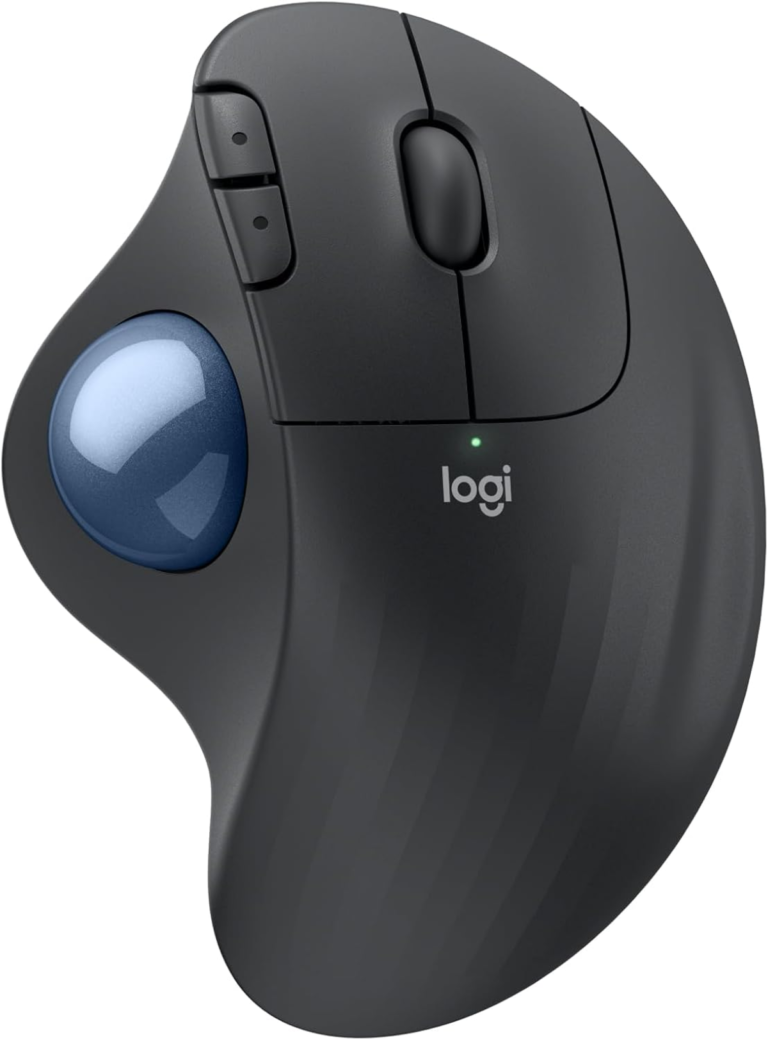
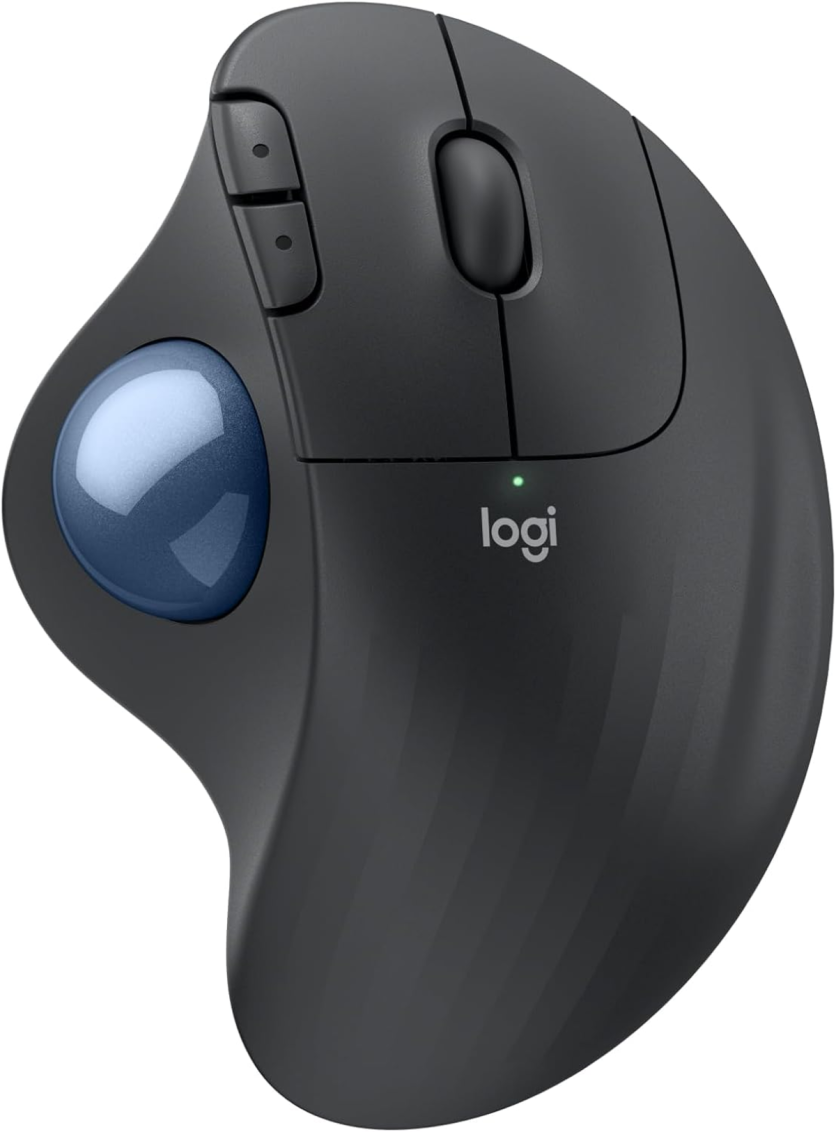
Amazon is currently selling the ERGO M575S Wireless Trackball Mouse in Graphite with a blue trackball for $39.99 with free shipping — a $10 discount off the standard $49.99 MSRP — making now one of the better moments this year to act for any desk worker whose forearm starts aching before 3 p.m.
The deal is active simultaneously across Amazon, Best Buy, B&H Photo, and Logitech’s own storefront — a coordinated promotional price rather than a clearance event, which suggests the window will stay open for at least several days. The Slickdeals front-page listing confirms all four retailers at the same price as of October 23, 2026.
Before deciding whether the M575S belongs on your desk, it helps to understand exactly what problem it solves — and what it does not.
A conventional flat mouse keeps your hand lying face-down throughout the workday. That position forces the forearm into sustained pronation: the radius and ulna, the two bones of the lower arm, cross over each other to rotate the palm downward. Held for eight-plus hours daily, that crossed-bone position elevates intracarpal tunnel pressure, continuously activates forearm extensor and flexor muscles even when the cursor is stationary, and — across months of repetitive motion — is one of the primary mechanical drivers of RSI in desk workers. This mechanism has been documented extensively in ergonomics research, including work by Professor Anna-Lisa Osvalder at Chalmers University of Technology.
The M575S eliminates arm-sweeping entirely. The device stays in one place; the user’s wrist and forearm settle into a semi-supinated neutral posture — forearm bones parallel rather than crossed — while the thumb spins the large blue trackball to move the cursor. Logitech’s ERGO M575S product page describes this as keeping “your hand and forearm relaxed” throughout the workday.
Logitech’s internal Logi Ergo Lab measured this difference using electromyography sensors on six key forearm and shoulder muscles and found 25% less muscle activity compared to a traditional mouse during standard computer tasks. That claim was Logi Ergo Lab certified by United States Ergonomics, a third-party lab — though the study was funded by Logitech, which is standard practice for hardware ergonomic claims and worth noting when interpreting the figure.
One important qualification: this benefit is specific to forearm and shoulder fatigue from arm-sweeping. Users whose primary complaint is thumb pain from repetitive trackball spinning, or wrist-click pain from tendinitis, may find the M575S redistributes rather than eliminates their discomfort. The FAQ below addresses this directly.
The ERGO M575S is a meaningful generation upgrade over the original M575, not simply a rebrand.
The headline change is silent clicks. Logitech’s measurements put the M575S’s primary buttons at roughly 80% quieter click comparison than those on the standard M575 — moving from a firm snap to a subdued muffled pop. The practical difference matters in open offices, library environments, and work-from-home setups where click noise bleeds into video calls or disturbs cohabitants.
On the wireless side, the M575S replaced the older Unifying USB receiver with Logi Bolt — Logitech’s current 2.4 GHz RF protocol using AES-128 encrypted Logi Bolt technology and adaptive frequency hopping to maintain stable connections in RF-crowded environments. The Bolt receiver stores inside the device body when not in use. Bluetooth Low Energy (BLE) mode connects directly to laptops, tablets, and phones without the dongle at all.
Battery life runs up to 18 months on a single included AA battery under BLE — the sensor activates only when the trackball moves, so idle draw is minimal. The Graphite colorway also incorporates 52% certified post-consumer recycled plastic specifications, up from the prior generation.
The ERGO M575S occupies the practical middle of Logitech’s current trackball family:
| Model | Regular Price | Trackball | Clicks | Battery | Connectivity |
|---|---|---|---|---|---|
|
ERGO M575S (this deal) |
$49.99 |
Blue, thumb |
Silent |
Up to 18 months (AA, BLE) |
BLE + Logi Bolt |
|
ERGO M575 (original) |
~$49.99 |
Blue, thumb |
Standard |
Up to 24 months (AA, USB mode) |
BLE + Unifying |
|
MX Ergo S |
$99.99 |
Graphite, thumb |
Standard |
Rechargeable (USB-C) |
BLE + Logi Bolt |
At $39.99 today, the M575S is priced at or below the typical street price of the older M575 it improved upon — meaning the better product is temporarily cheaper than its predecessor. That inversion is what makes this moment worth acting on.
The MX Ergo S adds a magnetic adjustable-angle base (0° or 20° tilt), a USB-C rechargeable battery, and eight programmable buttons — but its $99.99 price represents a $60 premium over this deal. For most desk workers encountering a trackball for the first time, the M575S at $39.99 is the lower-risk, lower-cost entry point to determine whether this form factor works for them.
The M575S is designed exclusively for right-handed users. The thumb trackball is positioned on the left side of the device and is not usable left-handed. Left-handed buyers should look at Kensington’s ambidextrous trackball options instead.
The maximum sensor resolution is 2,000 DPI. That is well-suited for most office work and multi-monitor navigation, but graphic designers or users working with ultra-high-DPI displays may find precision cursor placement less consistent than on a higher-resolution device.
A recurring hardware issue documented across Logitech’s wireless mouse lineup — including both the MX Ergo and M575 families — is click-switch wear that produces intermittent double-clicking durability reports after roughly 18 to 24 months of heavy use. iFixit flags worn click micro-switches as one of the most click-switch repair faults on the M575S, alongside a dirty or sticking trackball as the most common tracking complaint. At $39.99 the cost-per-year math still favors this device, but if longevity concerns you, the two-year clock is worth building into your expectations.
The trackball itself ejects from its socket for cleaning, which prevents the most common tracking degradation: dust and skin oil accumulating on the ball’s surface. A clean ball every few weeks keeps the optical sensor reading accurately.
|
Sale Price |
$39.99 |
|
Regular Price |
$49.99 |
|
Savings |
$10.00 (20% off) |
|
Shipping |
Free |
|
Available At |
Amazon, Best Buy, B&H Photo, Logitech.com |
|
Availability |
While supplies last at this price |
It depends on the type of discomfort. The M575S specifically targets the forearm and shoulder fatigue that results from arm-sweeping with a conventional mouse — by keeping the device stationary and moving the cursor with the thumb instead, the forearm stays in a neutral, unpronated posture and muscle activity drops measurably. If your pain is forearm tightness, shoulder ache after long sessions, or discomfort that travels from the arm toward the elbow, a trackball is well-matched to your problem. If your pain is concentrated in the thumb itself (from repetitive trackball spinning), at the wrist joint from clicking (tendinitis or trigger finger), or in the fingers, the M575S moves the strain rather than eliminating it — and a different ergonomic intervention may serve you better. The underlying biomechanics of ergonomic mouse design and ergonomic mouse wrist strain are documented by ergonomics researchers and product specialists alike. The RSI literature, including work associated with Professor Anna-Lisa Osvalder at Chalmers University of Technology, consistently identifies forearm pronation as a primary driver of desk-worker strain — which the M575S’s design directly addresses.
The two most meaningful upgrades are quieter primary click buttons (approximately 80% softer) and an upgraded wireless receiver: Logi Bolt replaces the older Unifying dongle, bringing AES-128 encryption and better resistance to interference in environments with dense Bluetooth traffic. The M575S also increased recycled plastic content and added an integrated storage slot in the device body for the receiver. Battery life in Bluetooth Low Energy mode runs slightly shorter (up to 18 months vs. the M575’s rated 20 months via BLE) but the real-world difference is imperceptible for most users. A full account of M575 to M575S upgrades was covered at launch by PCWorld.
Yes — the fixed-position design is one of the clearest advantages of a trackball over a conventional mouse in constrained spaces. The M575S never moves, requires no mouse pad, and works identically on a keyboard tray, a cluttered desk corner, a couch armrest, or beside a laptop on a tray table. In Bluetooth mode it connects directly without occupying a USB port, and the 10-meter (33-foot) wireless range handles most desk configurations with ease. Logitech’s OS and device compatibility documentation confirms the device works on any surface type.
Yes. The M575S is compatible with macOS 10.15 (Catalina) or later, iPadOS 14 or later, Windows 10 or later, ChromeOS, and Android 12 or later. The free Logi Options+ app for macOS and Windows enables full button customization, cursor speed adjustment (400–2,000 DPI in the software), and gesture configuration. Without the software, the device works plug-and-play on all supported platforms.
Prices and availability are subject to change. TechTimes may earn a commission on purchases made through links in this article.