HomeAuto Googlebook Launches at $899: ARM Models Outlast Intel Rivals by Six Hours
Googlebook Launches at $899: ARM Models Outlast Intel Rivals by Six Hours
September 25, 2026:
Google
Five Googlebooks from Acer, ASUS, Dell, HP, and Lenovo preorders opened September 21 with all five models fully specified and priced ahead of a US retail launch on October 4. The platform carries something genuinely new to the laptop category: every unit ships with a Level 5-certified security hypervisor — the highest assurance level in consumer electronics — that isolates sensitive AI workloads from the rest of the operating system even if the OS itself is ever compromised.
That security credential does not change how much the Googlebook costs. It does explain why Google spent four years building Aluminium OS — the Android-and-ChromeOS hybrid that powers the platform — from a security architecture outward rather than starting with the user interface. The five launch models range from $899 to $1,299, putting them squarely against the MacBook Air M4 (from $1,099) and the Microsoft Surface Laptop 7 (from $1,199). Preorders are live at Google Store and Best Buy now.
Why Two Chip Families, and Why It Matters
Every Googlebook in the launch lineup runs either an Intel Core Ultra 5 or 7 (Panther Lake) or a Qualcomm Snapdragon X Elite processor. That is not a minor aesthetic variation between models. The two processors represent two different CPU architectures — x86 for Intel, ARM for Qualcomm — and the architectural gap is the single best predictor of which Googlebook will serve a specific buyer better.
x86, the instruction set Intel has shipped in laptops for four decades, runs every piece of legacy Windows software natively. On Googlebook OS, the practical implication is less dramatic — the platform is built on Android and ChromeOS, not Windows, so x86 backward compatibility is not a primary advantage here. What x86 Panther Lake does offer is deep compatibility with developer tools and Linux applications, and it pairs with Intel Thunderbolt connectivity.
ARM, the architecture Apple used to establish its MacBook dominance and Qualcomm used to revive Windows-on-ARM, is inherently more power-efficient for sustained workloads. Qualcomm’s Hexagon NPU in the Snapdragon X Elite is rated at 45 TOPS — identical to the Googlebook floor requirement — but the ARM chip’s baseline power envelope is substantially lower than an equivalent x86 part. That efficiency is what produced the longest claimed battery lives in the launch lineup: HP’s 19-hour claim and Dell’s 18-hour claim both come from Snapdragon-powered models.
The Lenovo, powered by an Intel Core Ultra 5 with a 47-TOPS NPU, claims 13 hours of battery life — the shortest of the five, and a direct consequence of the architecture tradeoff.
Neither architecture is wrong. The Intel models offer the full Thunderbolt ecosystem, compatibility with professional developer tool chains, and access to Thunderbolt-speed external storage. The Snapdragon models offer longer wireless battery life and a thermal profile that allows thinner chassis. Dell’s XPS Googlebook, at 12.7 mm (0.50 in.) thin and 2.2 lb (1.0 kg), is both the lightest and thinnest model in the lineup and runs Snapdragon X Elite.
What Aluminium OS Actually Does
Google markets Googlebook as “the first laptop built from the ground up for Gemini Intelligence,” which is an accurate description of the product intent and an incomplete description of the platform architecture. The full picture is available in Google’s May 2026 Googlebook announcement.
Aluminium OS merges two codebases: the Android tech stack, which enables native Android app execution without a compatibility layer, and ChromeOS foundations, which contribute the full desktop-class Chrome browser with extensions, the file manager, and the web-app infrastructure that Google has spent 15 years building. The result is a desktop that looks familiar to anyone who has used a Chromebook or a Pixel phone — the app dock, Quick Settings, and notifications all follow Android conventions — but runs those elements on a kernel designed for native app performance rather than virtualized execution.
What the marketing does not lead with is that some flagship Google apps made a different choice. Gmail and Google Calendar on Googlebook OS open as Trusted Web Activities — web-wrapper applications distributed through the Play Store — rather than as native Android apps. The TWA format allows homescreen widgets, which is why Google’s own productivity apps chose it, but it also means the “native Android” experience on Googlebook is genuinely developer-dependent. Individual apps decide whether to ship a desktop-optimized Android build or a web wrapper, and several major apps have chosen the web path. Buyers who come to Googlebook expecting a clean break from ChromeOS’s web-first heritage will find more continuity than they expected.
Google’s position is that this is intentional. The company offered developers the choice and respected the decision of teams like Gmail and Google Workspace, who preferred the web path for their desktop experience.
Gemini in the OS
Three Gemini features ship with Googlebook OS at launch and distinguish the platform from both ChromeOS and Windows Copilot+ in terms of how AI is integrated.
Magic Pointer turns the cursor into a live Gemini trigger. Wiggling the mouse activates a contextual panel that reads whatever the cursor is pointing at — a date in an email, two images, a block of text — and offers relevant actions: create a calendar event, compare the images, translate the text. The feature is built with the Google DeepMind team and runs on-device when possible.
Rambler handles voice-to-organized-text conversion. Rather than raw dictation, it structures spoken input — notes, action items, multilingual stream-of-consciousness — into formatted output with headers and checklists. It sits next to the Quick Insert key as a hardware-adjacent AI surface.
Create My Widget generates custom desktop widgets from a plain-language prompt, pulling live data from Gmail, Calendar, and web search to build personalized dashboards. A family reunion widget that aggregates flight details, hotel reservations, restaurant bookings, and a countdown is the example Google has used in public demonstrations.
All three features require an internet connection and are restricted to users 18 and older. Cast My Apps and Quick Access — the phone-integration features that let users run Android phone apps in desktop windows and browse phone files from the Googlebook file browser without transfers — require Android 17 or later on a connected phone. Google has not announced any iPhone integration.
Security Architecture: What a Level 5 Hypervisor Means
Every Googlebook ships with two security components that have no direct equivalent in the current MacBook or Windows Copilot+ lineup as standard baseline features.
The Google Titan C2 chip provides hardware root of trust. It is a purpose-built microcontroller with an AES/SHA cryptographic coprocessor and a hardware random number generator that verifies firmware integrity starting at the first instruction of every boot. Traditional TPM chips can check the firmware stack during boot, but the Titan can verify first-instruction integrity — the earliest code that runs on the machine — which conventional TPMs cannot.
The pKVM hypervisor is the deeper story. Google’s protected KVM technology, which powers the Android Virtualization Framework, achieved SESIP Level 5 certification in August 2025 — the first software security system designed for large-scale consumer electronics deployment to reach that assurance bar. SESIP Level 5 incorporates AVA_VAN.5, the highest level of vulnerability analysis and penetration testing under the ISO 15408 Common Criteria standard. A system certified at this level has been independently evaluated to resist attackers who are highly skilled, well-funded, and may have insider knowledge. The evaluation was conducted by Dekra, a globally recognized cybersecurity certification lab, against the TrustCB SESIP scheme compliant with EN-17927.
On Googlebook, this hypervisor powers an isolated Linux environment with full terminal access. The practical implication: a developer can run Linux tools, pull code repositories, or execute autonomous AI agents inside an environment that is cryptographically isolated from the rest of the OS. When a protected virtual machine shuts down, its memory is automatically wiped. Google positions this as a first for the laptop category.
All Five Launch Models
Every Googlebook ships with 16 GB of RAM, 256–512 GB of storage (configuration varies by model), a backlit keyboard, a fingerprint reader, a haptic glass trackpad, and a Titan C2 security chip. All five carry touchscreens and NPUs rated at 45 TOPS or higher. The multicolored Glowbar LED strip — which signals battery status and Gemini interactions, and which first appeared on the 2013 Chromebook Pixel — is a universal design requirement across the platform. The Gemini key, marked with a white “G,” is a required hardware element on every model.
Acer Googlebook 14 — $899 The only convertible 2-in-1 in the launch lineup, with a 360-degree hinge that folds the 14-inch 2.8K OLED touchscreen into tablet mode. Powered by an Intel Core Ultra 5 with a 49-TOPS NPU. Battery is rated at up to 16 hours. The chassis weighs 2.51 lb (1.14 kg). This is the limited-time launch price; Acer has indicated the $899 entry point is promotional. Available at Best Buy and the Google Store.
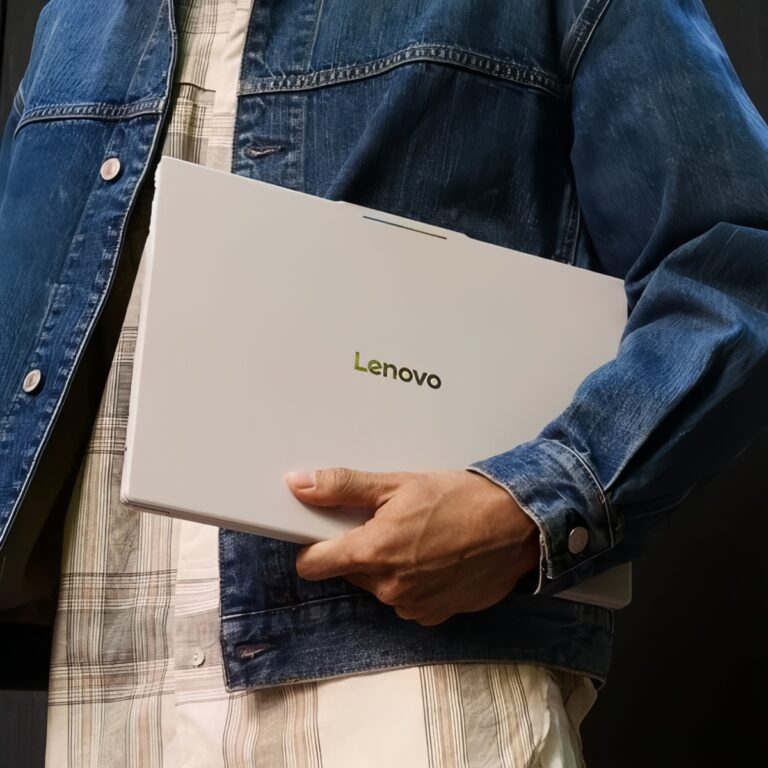
Lenovo Googlebook 15 — $1,099 The large-screen option, with a 15.3-inch 2.8K OLED touchscreen — the biggest display in the lineup — and face unlock. Powered by an Intel Core Ultra 5 with a 47-TOPS NPU. Battery is rated at up to 13 hours, the shortest of the five models, reflecting the Intel x86 architecture’s higher power baseline. It is also the heaviest model at 2.84 lb (1.29 kg). Available at Best Buy and the Google Store.
Dell XPS Googlebook — $1,199 The travel-focused model: the lightest and thinnest Googlebook at 2.2 lb (1.0 kg) and 12.7 mm (0.50 in.) thick. Powered by a Snapdragon X Elite with a 45-TOPS NPU. The display is a 13.4-inch 2.5K LCD touchscreen — the only non-OLED display in the lineup, a tradeoff that contributes to the model’s thin profile. Battery is rated at up to 18 hours. Available at Best Buy and the Google Store.
ASUS Googlebook 14 — $1,299 The only Googlebook powered by an Intel Core Ultra 7, delivering the highest NPU rating in the Intel-chip segment at 49 TOPS. Matches the Dell at 2.2 lb (1.0 kg) with a 14-inch 2.8K OLED display. Battery is rated at up to 16 hours. Available exclusively at Best Buy.
HP Googlebook 14 — $1,299 Claims the longest battery life in the lineup at up to 19 hours of web browsing, powered by a Snapdragon X Elite (45 TOPS). The 14-inch 2.8K OLED display is paired with face unlock alongside the standard fingerprint reader. Weighs 2.74 lb (1.24 kg) and measures 14 mm (0.55 in.) thick. Also a Best Buy exclusive.
What’s Included
Every Googlebook purchase will arrive with 12 months of Google AI Pro, which provides 5 TB of cloud storage and elevated Gemini usage limits. At the standard monthly rate, that subscription adds meaningful financial value to the purchase. The Google AI Pro offer applies to new subscribers who redeem before March 31, 2027.
The bundle also includes three months each of YouTube Premium, Adobe Photoshop, Adobe Premiere, Adobe Lightroom, BandLab Pro, and CapCut Pro, plus 12 months of Luminar and 12 months of GeForce NOW Fast Pass (50 hours per month of game streaming). The GeForce NOW inclusion makes PC game streaming a zero-marginal-cost addition to the platform for the first year.
Googlebook vs. Chromebook vs. Copilot+
Google has been explicit that Googlebook is not a Chromebook replacement. Chromebooks continue on ChromeOS as the company’s mainstream, education-accessible laptop line. Googlebook is a new premium tier built on Android, designed around Gemini, and positioned for Android phone owners who want a seamless cross-device experience.
The hardware baseline compares directly to Microsoft’s Copilot+ PC standard. Both require 16 GB of RAM and at least 256 GB of storage. Googlebook’s NPU floor of 45 TOPS edges past the Copilot+ certification minimum of 40 TOPS — a 12.5% higher on-device AI processing floor. Google additionally mandates 14 hours of battery life as a platform baseline requirement; Microsoft imposes no equivalent battery standard on Copilot+ certification.
What Copilot+ has that Googlebook does not: a matured software ecosystem where developers have been building and optimizing Windows applications for decades, and a broader library of desktop-class productivity tools that run natively without depending on a developer’s choice to ship an Android-optimized build.
What Googlebook has that Copilot+ does not: a pKVM hypervisor that is independently certified to Level 5 security assurance, a hardware root-of-trust chip that verifies first-boot firmware integrity, a deeper Android phone integration layer (Cast My Apps, Quick Access, Continue On), and OS updates guaranteed for up to 10 years per device.
What Still Needs to Prove Itself
Not everything is settled before the October 4 shelf date. Several dimensions of the Googlebook experience will not be answerable until reviews land with real hardware in hand.
App ecosystem readiness is the most significant open question. Googlebook OS gives Android apps native execution without the compatibility layer that ChromeOS required — but native execution and desktop optimization are different things. Early hands-on previews have noted that some Android applications still present in phone-aspect-ratio windows and lack keyboard-and-mouse polish. Google has curated a section of the Play Store for desktop-optimized apps and highlights Adobe Photoshop, Lightroom, CapCut, Netflix, and HBO Max as optimized title examples, but the breadth of that catalog at launch is unknown.
UK, European, and Australian pricing has not been published. Some configurations will offer 32 GB of RAM — Google has indicated this — though only 16 GB models appear in the US store at launch. MediaTek is a confirmed Googlebook chip partner but has no model in the initial lineup. India is not among the first seven launch markets and has no announced timeline.
Availability
Preorders went live September 21 at 9 a.m. ET at the Google Store and Best Buy. US retail availability begins October 4, 2026. International availability in Canada, the UK, Ireland, France, Germany, and Australia follows October 5, 2026.
The ASUS Googlebook 14 ($1,299) and HP Googlebook 14 ($1,299) are available exclusively at Best Buy. The Acer Googlebook 14 ($899), Lenovo Googlebook 15 ($1,099), and Dell XPS Googlebook ($1,199) are available at both Best Buy and the Google Store.
Frequently Asked Questions
What is the difference between Googlebook and Chromebook?
Googlebook runs Aluminium OS, a new operating system built on the Android tech stack combined with ChromeOS foundations. Unlike Chromebooks, which run Android apps through a compatibility layer, Googlebook executes Android apps natively. Googlebooks are positioned as premium devices ($899 and up) with higher NPU requirements, mandated OLED displays, and deeper Android phone integration. Chromebooks continue as Google’s cloud-first, budget-accessible laptop line on ChromeOS; Google has said the two platforms will coexist.
Does Googlebook work with an iPhone?
Not fully. Cast My Apps — which lets users run phone applications in a desktop window without installing them — and Quick Access — which lets users browse and open phone files directly from the Googlebook — both require Android 17 or later on a connected phone. Google has not announced any iPhone integration for these features. The Chrome browser and Google apps will work on a Googlebook regardless of phone, but the cross-device continuity features are exclusive to Android phone owners.
Will every app run the same way on Googlebook as it does on my Android phone?
Not necessarily. Googlebook OS offers native Android app execution, but some major Google apps — including Gmail and Google Calendar — have chosen to open as Trusted Web Activities (web-wrapper apps distributed through the Play Store) rather than as native Android builds. The result looks similar to a sophisticated web app. Whether any given Play Store application provides a fully desktop-optimized experience depends on the individual developer’s choice. Google has curated a selection of desktop-optimized apps in the Play Store and highlights titles like Adobe Photoshop, CapCut, Netflix, and HBO Max as examples of optimized experiences.
Which Googlebook model has the best battery life?
The HP Googlebook 14 claims up to 19 hours of web browsing — the longest in the launch lineup — followed by the Dell XPS Googlebook at 18 hours. Both run Qualcomm Snapdragon X Elite processors, which use ARM architecture. The longer battery life of Snapdragon models compared to the Intel Core Ultra models (Acer and ASUS at up to 16 hours, Lenovo at up to 13 hours) reflects a fundamental architectural difference: ARM chips are inherently more power-efficient for sustained workloads than x86 chips at equivalent performance levels. If battery life is the primary deciding factor, either the HP or the Dell will outperform the Intel-based models under real-world conditions — though only independent benchmark testing after devices ship will confirm the claimed numbers.